Basic ATS Resume Template for Fast Shortlisting
Ek clean, single-column Basic ATS Resume Template jo har ATS easily parse kar le — bina tables, bina graphics ke. Naukri, Taleo, Workday sab par 100% readable.
Build Basic ATS Resume Free → Upload & Extract AI
8+ years guiding Indian freshers • Free builder, no login, AI keyword suggestions, 2 minutes me resume
RAHUL SHARMA — Basic ATS • Single Column
Detail-oriented B.Tech graduate with internship experience in data support and customer operations.
Skills — MS Excel • SQL Basics • Communication • Python
Experience — Support Intern — Tech Mahindra • Jun 2025 - Present • Resolved 30+ tickets weekly
No tables, no text boxes, no double columns. Sirf clean headings + bullet points. Naukri, Workday, Taleo sab parse kar lete hain.
Featured:
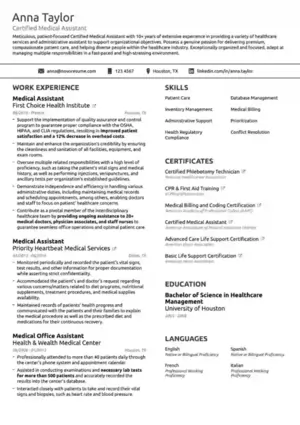
Basic ATS Resume Template ek minimalist, single-column layout hai jo Applicant Tracking System ko confuse nahi karta — isliye shortlisting tez hoti hai. Agar aapka purana designer resume ATS me atak raha hai, is basic version se aapka content 100% readable banta hai, fonts safe rehte hain, headings standard rehti hain, aur ResumeEra ka AI JD ke keywords naturally add karne me help karta hai.
Seedha jawab: Basic ATS Resume Template best hai freshers, career switchers, aur high-volume hiring ke liye jahan bots pehle filter karte hain. Ye page aapko wahi samjhata hai — kya hai, kaise kaam karta hai, kis ke liye perfect hai, aur ResumeEra par Upload Existing Resume wale 2-Step Smart Flow se purana PDF/DOCX/Image drag-drop karke naya ATS-ready resume seconds me kaise banaye. No login, no payment.
ResumeEra.xyz India ke liye free resume builder hai. Aap chahe Naukri.com, Indeed India, LinkedIn Easy Apply ya Taleo par apply kar rahe ho — ye template har jagah same-to-same parse hota hai. Kyunki isme koi table, textbox, double column ya heavy graphic nahi hai, ATS text ko line-by-line padh leta hai aur recruiter ko clean profile dikhata hai.
Free build & download • No sign-up/login • AI keyword suggestions • Single-column ATS-safe templates by default • Upload existing resume → AI extraction in seconds → Editable resume in about 2 minutes. Author: Sharukh Mirza
What is Basic ATS Resume Template and why recruiters love it?
ATS ek software hai jo resume ko scan karke text extract karta hai, sections identify karta hai, aur keywords, experience aur skills ke basis par score deta hai. Company me iske bina 250+ applications manually padhna possible nahi. Toh recruiter ATS par rely karta hai.
Designer templates me problem ye hai — double columns ATS ko do alag documents lagte hain, text boxes ka content invisible ho jata hai, icons aur progress bars ko ATS text hi nahi samajhta. Basic ATS is sab ko hata deta hai. Sirf ye rehta hai: standard headings (Summary, Skills, Experience, Education), simple bullets, ATS-safe fonts (Calibri, Arial, Garamond), aur logical order.
Recruiters isko isliye pasand karte hain kyunki review fast hota hai. Ek nazar me timeline clear, achievements measurable, aur formatting distraction-free. Hiring manager ko design nahi, clarity chahiye. Basic ATS wahi deta hai.
Is template ke building blocks
Basic ATS koi blank page nahi, ek socha-samjha system hai. Har block ka ek hi kaam — ATS ko help karna ki aapka content sahi jagah map ho jaye.
◉ Single Column Flow
Top se bottom tak ek hi column. Experience ke neeche Education, uske neeche Skills. Koi side-bar nahi jisse ATS confuse ho.
◎ Standard Headings
Summary, Work Experience, Education, Skills, Certifications — ATS inhi keywords se section detect karta hai. Creative headings se bacho.
⬢ ATS-Safe Fonts & Margins
Calibri / Arial / Times, 10.5–11.5 pt, 0.6–0.8 inch margins. Line spacing clean taaki parsing me text merge na ho.
⬣ Bullets, Not Paragraphs
Har role me 3–5 bullets, har bullet Action + Task + Result format me. Numbers ke saath — jaise “Resolved 30+ tickets weekly”.
Extra me: hyperlink sirf plain text me (email, LinkedIn), koi image ya icon nahi, aur file name bhi ATS-friendly — Rahul_Sharma_Basic_ATS_Resume.pdf.
How ATS scans your resume — step by step inside the engine
ATS magic nahi, pattern matching hai. Ye jaanoge toh khud optimize kar paoge.
Text Extraction
PDF/DOCX se raw text nikalta hai. Basic ATS me koi locked image nahi, isliye 100% text milta hai. Scanned PDF bhi ResumeEra ka AI OCR se readable bana deta hai.
Section Mapping
Headings ke basis par chunking — Summary alag, Skills alag. Standard headings = correct mapping.
Keyword Matching
JD ke must-have skills se match — jaise “SQL, Excel, Communication”. AI suggestions se aap wahi terms naturally add karte ho, keyword stuffing ke bina.
Ranking & Score
Recruiter dashboard par score aur highlights. Clean dates (Jun 2025–Present) aur consistent formatting se timeline error zero.
Jab aap modern ATS resume template ya designer layouts use karte ho, tab step 1 aur 2 me hi drop ho jata hai — isliye Basic ATS safest starting point hai.
Basic ATS Resume Template vs other templates — clear comparison
Har template ka mood alag hai. Basic ka goal ek hi — maximum parseability, minimum risk.
| Feature | Basic ATS | Modern / Creative ATS | Two-Column / Infographic |
|---|---|---|---|
| ATS Parse Rate | Highest — clean single column | Good — light design, still safe | Risky — columns & graphics |
| Best For | Freshers, mass hiring, Naukri/Workday/Taleo | Mid-level, marketing/product roles | Portfolio roles, designer profiles |
| Fonts & Layout | Calibri/Arial, linear bullets | Slight accents, still linear | Icons, charts, text boxes |
| Keyword Targeting | Easy — plain text bullets | Easy | Hard — text may hide |
| Recruiter Read Time | Fastest — 6 sec scan me clear | Fast | Slower — eye jumps |
Agar aap confused ho to simple rule: pehle shortlist, phir style. Basic se apply karo, interview me portfolio dikhao. Creative touch ke liye baad me creative ATS resume template try kar sakte ho, par basic ko hi default rakho.
What sections should a Basic ATS resume include?
ATS ko har section ka label chahiye. Ye order fresher aur experienced dono ke liye kaam karta hai — bas content badalta hai.
Must-have sections
- Contact Header: Name, phone, email, city + LinkedIn/Portfolio link. Header/footer me mat dalo — top body me.
- Summary (2–3 lines): Role + 2 core skills + 1 achievement/goal. Fresher ho to “Seeking entry-level role in …”
- Skills: 8–12 hard skills, JD se match karte hue. Soft skills ko bullets me dikhao, yahan list me nahi.
- Experience / Internship: Company, Role, Location, Dates (MMM YYYY), 3–5 bullets with numbers.
- Education: Degree, University, Year, CGPA/percentage (optional), relevant coursework.
- Certifications & Projects (optional but powerful): 1–2 lines each, tools aur outcome ke saath.
Extra tip: Agar aap fresher ho, Education ko Experience se upar rakho. Experienced ho to Experience upar. ATS dono parse kar leta hai, par recruiter flow better lagta hai.
✓ Do
- Headings exactly “Work Experience”, “Education”, “Skills”
- Dates consistent: Jun 2024 – Present
- File type: PDF (digital) ya DOCX
✗ Don't
- Heading ko “My Journey” jaisa creative banana
- Contact info header/footer ya image me
- Abbreviations without full form (pehli baar SQL — Structured Query Language)
Similar safe options dekhne ke liye simple ATS resume template aur minimalist ATS resume template bhi check karo — dono single-column philosophy share karte hain.
Example structure — Basic ATS Resume Template in action
Ye ek real jaisa example hai, number use kiye bina heading me — sirf “Example” label ke saath. Is flow ko copy-paste karke apna data bhar sakte ho.
rahul.sharma@email.com • +91 98XXXX XXXXX • Pune, India • linkedin.com/in/rahulsharma
Summary
Detail-oriented B.Tech graduate with internship in data support. Proficient in Excel and SQL basics, with strong communication and weekly ticket resolution experience. Seeking entry-level Operations role.
Skills
MS Excel (Pivot, VLOOKUP) • SQL Basics • Python Basics • Communication • Ticketing Tools
Experience — Support Intern | Tech Mahindra, Pune | Jun 2025 – Present
- Resolved 30+ customer tickets weekly, improving response time
- Created Excel trackers that reduced follow-up delays
- Coordinated with QA team for weekly status reports
Certification — Google Data Analytics (Coursera) — 2025
Notice karo — har bullet action verb se start, har date ek hi format me, aur koi graphic nahi. Isi wajah se ATS isko line-by-line sahi padhta hai. Agar aap chronological story dikhana chahte ho to traditional ATS resume template ka order bhi isi logic par built hai.
How to make your resume more ATS-friendly — practical playbook
Design change ke bina bhi aapka ATS score badh sakta hai. Bas ye playbook follow karo.
Keyword play — natural, not stuffed
JD ko padho, top 8–10 skills nikalo, aur wahi exact phrases bullets me use karo. Jaise JD me “MS Excel, SQL, Customer Support” hai toh bullet me likho “Used MS Excel to track customer support tickets and built SQL-based weekly reports” — ek hi line me teen keywords, par natural.
Formatting rules jo ATS pyaar karta hai
- Font size 10.5–11.5, line spacing 1.0–1.15, margins balanced
- Bullets ke liye simple “•” ya “-”, fancy icons avoid
- PDF digital export — scanned image PDF nahi, warna OCR pe depend
- File name: FirstName_LastName_Basic_ATS_Resume.pdf
Functional shift ke liye soch rahe ho? Agar career gap ya switch hai toh functional ATS resume template me skills pe focus badh jata hai, jabki Basic me timeline pe. Dono ATS-safe hain, bas story alag.
Pro tips — small tweaks, big shortlist boost
- JD ke exact job title ko Summary me ek baar naturally likho — ATS title match ko weight deta hai
- Har role me 1 quantified result rakho: “Reduced”, “Improved”, “Resolved” + number
- Skills section me synonyms add karo: “MS Excel | Advanced Excel” — dono cover
- LinkedIn URL ko hyperlink nahi, plain text rakho taaki parser miss na kare
Optimize your Basic ATS Resume Template for Indian job portals
India me Naukri.com, Indeed India aur LinkedIn ka parser thoda alag behave karta hai — par Basic ATS sab par safe hai.
India-specific tweaks: Location me “Pune, India” likho, phone me +91 lagao, aur CGPA/percentage clearly mention karo. Gulf jobs ke liye passport-ready availability line Summary me add kar sakte ho. IT jobs ke liye Skills me tools ke versions bhi likho — “Excel (Pivot, VLOOKUP), SQL (Joins, Group By)”.
Senior roles target kar rahe ho? Tab executive ATS resume template ka hierarchy dekh sakte ho, par content abhi bhi Basic wali hi simplicity follow karega.
Naukri ka search “Excel AND SQL AND Support” jaisa hota hai. Isliye Basic ATS me Skills ko comma-separated ek line me rakho — search hit rate badhta hai, aur ATS highlight bhi sahi hota hai.
How to build Basic ATS Resume Template on ResumeEra — 2-Step Smart Flow
ResumeEra.xyz par Basic ATS banana sabse tez hai — no sign-up, no login, no payment. Do raste hain.
Choose Method
Start From Scratch ya Upload Existing Resume — jo bhi ho, same editor me jayega.
Upload File
PDF (digital/scanned), DOCX, JPG, PNG drag-drop karo. Progress bar live dikhega.
AI Extraction
AI seconds me text nikal ke editable fields me bhar deta hai — name, skills, dates sab auto.
Continue to Editor
Basic ATS template me preview dekho, AI keyword suggestions add karo, aur PDF download karo.
Start From Scratch wale seedha blank Basic ATS me jayenge, jabki Upload wale ka purana design auto-clean ho jayega — tables aur columns hat jayenge, content single-column me reflow ho jayega. Dono hi about 2 minutes me ready.
Upload & Extract Now →Decision framework — is Basic ATS right for you?
Har profile ko heavy design nahi chahiye. Ye framework 30 seconds me decision kara dega.
✓ Choose Basic ATS if
Fresher / 0–4 years experience • Mass hiring, campus drives • Naukri/Indeed/Taleo/Workday par apply • Career gap ya switch me clarity chahiye
✗ Consider other if
Creative portfolio (designer, video) jahan visuals must hain • Senior exec jahan 2-page hierarchy chahiye — tab Traditional/Executive dekho
Still unsure? Basic se start karo. Shortlist aane lage to same content ko executive ATS resume template me restyle kar sakte ho — content wahi, presentation alag. Risk-free approach.
Common mistakes that kill ATS score
Ye galtiyan sabse zyada dekhi jati hain — aur inka fix 2 minute ka hai.
- ✕Tables & Text Boxes: ATS inke andar ka text skip kar deta hai. Fix: Sab ko plain bullets me convert karo.
- ✕Double Columns: Left-right columns ko ATS upar-neeche jod deta hai, meaning toot jata hai. Fix: Single column me lao.
- ✕Header/Footer me Contact: Kai ATS header/footer read hi nahi karte. Fix: Contact ko body ke top me rakho.
- ✕Creative Headings: “Where I Shined” se ATS section miss kar dega. Fix: “Work Experience” likho.
- ✕Image Resume / Scanned without OCR: Text hi nahi milega. Fix: Digital PDF export karo, ya ResumeEra pe upload karke OCR se extract karo.
- ✕Keyword Stuffing: White text me skills bharna spam lagta hai. Fix: Natural bullets me JD keywords weave karo.
Ek baar ye fix karoge, Basic ATS automatically top percentile me chala jayega — bina koi naya content likhe.
Beat the bots — how to check if your resume is ATS-friendly
Banane ke baad test karo, guess nahi.
- Copy-paste test: PDF ko kholo, saara text select karke Notepad me paste karo. Agar order sahi hai toh ATS bhi sahi padhega.
- File test: PDF + DOCX dono rakho, par apply PDF se karo — formatting lock rehti hai.
- ATS Score Check: ResumeEra ke ATS Score Check par upload karo — keyword match aur formatting score instantly.
- JD mirror: JD ke 5 must-have skills aapke Skills + bullets me exact same spelling se hain ya nahi, verify karo.
Designer se Basic par shift hote hi resumeworded aur resume.io jaise tools me bhi readability jump dikhega — kyunki wahi principle universal hai.
Related templates & guides
Basic pasand aaya toh ye variants bhi dekho — sab ATS-safe, bas style ka farq hai.
FAQs
Basic ATS Resume Template kya hai aur ye normal resume se kaise alag hai?
Ye ek single-column, no-table, no-graphic template hai jo ATS text ko 100% extract karne deta hai. Normal designer resumes me columns, icons aur text boxes hote hain jo ATS skip kar deta hai, jabki Basic me standard headings aur plain bullets hote hain jo Naukri, Taleo, Workday sab par correctly map hote hain.
Kya Basic ATS Resume Template freshers ke liye sahi hai?
Haan, freshers ke liye ye sabse safe hai. Aap Education ko upar rakh sakte ho, internships/projects ko bullets me dikha sakte ho, aur AI keyword suggestions se JD ke skills naturally add kar sakte ho. No experience wale bhi isme clean story bana pate hain.
Kya is template me photo, graphics ya double columns add kar sakte hain?
Avoid karo. Photo aur graphics ATS score girate hain, double columns text order tod dete hain. Agar portfolio dikhana hai toh LinkedIn/Behance ka plain text link add karo. Basic ka power hi uski simplicity hai.
ResumeEra par Basic ATS Resume kaise banau — upload ya scratch?
Dono options hain. Upload Existing Resume par PDF/DOCX/Image drag-drop karo — AI seconds me extract karke editable resume bana dega. Ya Start From Scratch se blank Basic ATS me directly likhna start karo. Dono flows about 2 minutes me download tak pahunchate hain, bina sign-up ke.
ATS-friendly kaise check karu ki mera resume pass hoga ya nahi?
Copy-paste test karo — PDF ka text Notepad me paste karke order check karo. Saath hi ResumeEra ke ATS Score Check par upload karo, aur JD ke top keywords aapke Skills aur bullets me exact spelling se hain ya nahi verify karo.
Summary — Basic ATS wins by keeping it simple
Basic ATS Resume Template ka funda simple hai — ATS ko confuse mat karo, help karo. Single column, standard headings, plain bullets, aur AI-assisted keywords se aap har Indian portal aur global ATS par readable rehte ho.
ResumeEra.xyz par ye template free hai, bina login ke, aur 2-Step Smart Flow se aap purana resume upload karke seconds me naya ATS-ready version bana sakte ho. Freshers se leke career switchers tak — agar shortlist chahiye, toh basic hi fastest rasta hai.
Ready to get shortlisted faster?
Upload karo, AI extract karega, Basic ATS me polish karo — aur Naukri, Indeed, LinkedIn par confidently apply karo.